
30L Industrial Vacuum
This guide provides step-by-step instructions for assembling, operating, and maintaining your MAXBLAST 30L Industrial Vacuum.
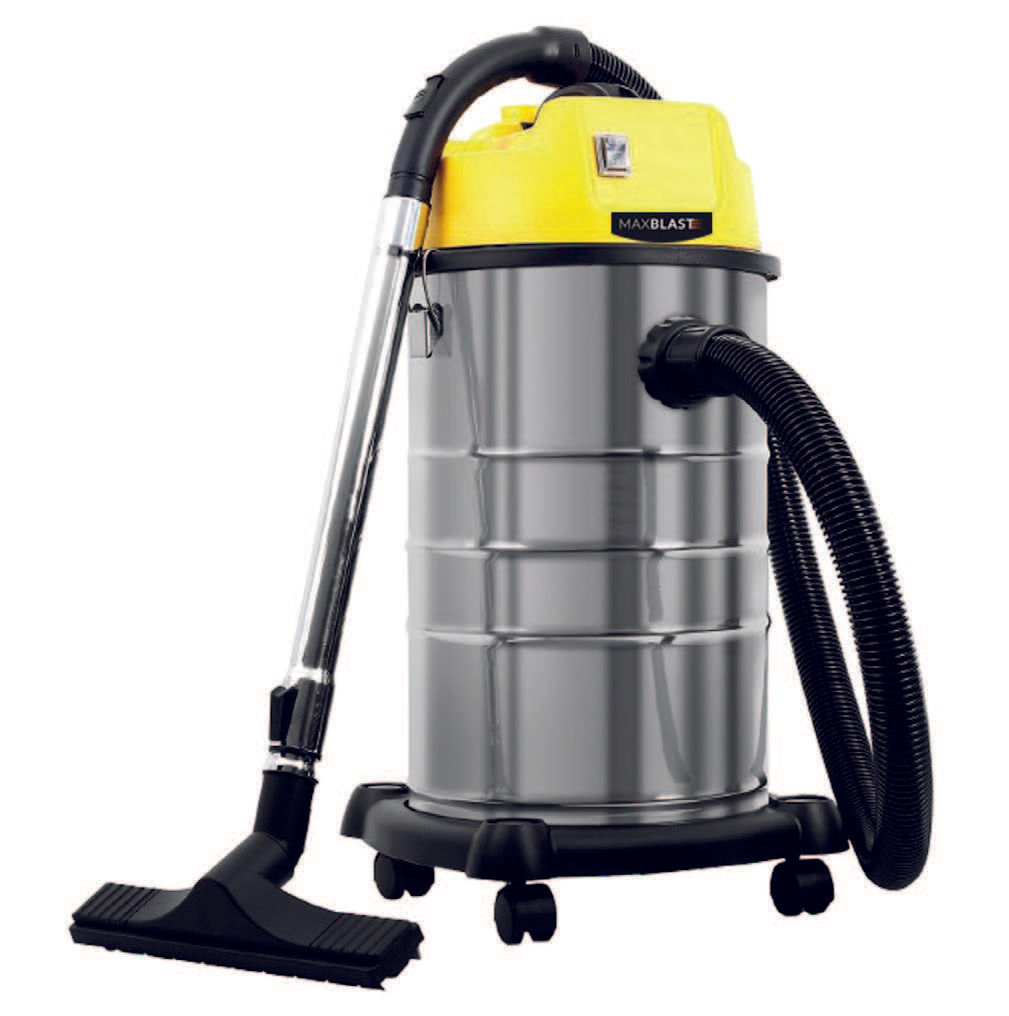
30L Industrial Vacuum
This guide provides step-by-step instructions for assembling, operating, and maintaining your MAXBLAST 30L Industrial Vacuum.
Product Information
The MAXBLAST 30L Industrial Vacuum is built for demanding cleaning tasks in warehouses, workshops, and commercial spaces. Powered by a 1400W motor, it efficiently handles both wet and dry materials.
It comes with four attachments, including two floor brushes, a bristle nozzle, and a crevice tool, making it suitable for a wide range of surfaces. The dual filtration system ensures reliable performance and cleaner air output.
A durable stainless steel drum, 30-litre capacity, and smooth castor wheels make it easy to use, empty, and manoeuvre—ideal for keeping large areas clean with minimal effort.
Safety Information
Product Features
1. Vacuum Attachment
2. Pedestal
3. Stainless Steel Drum
4. Vacuum Hose
5. Handle
6. Power Switch
7. Drain Hose
8. Wheel
GPSR Information
UK GPSR Information
Monster House 19-23 Alan Farnaby Way
Industrial Estate Sheriff Hutton
York YO60 6PG
England
+441347878880
Monster House 19-23 Alan Farnaby Way
Industrial Estate Sheriff Hutton
York YO60 6PG
England
+441347878880
EU GPSR Information
Van Heemskerckweg 28A & B
-
Venlo 5928LL
Netherlands
+441347878880
Van Heemskerckweg 28A & B
-
Venlo 5928LL
Netherlands
+441347878880
Included Parts
Walkthrough
Insert the hose connector into the air inlet mouth. Make sure the connector
is securely fastened.
Check the dual filter is in place for dry vacuuming. If you are wet vacuuming,
remove everything from the drum. Place the power cord right at the back of
the drum when in use. If you wish, before dry vacuuming, you can add the
dust bag.
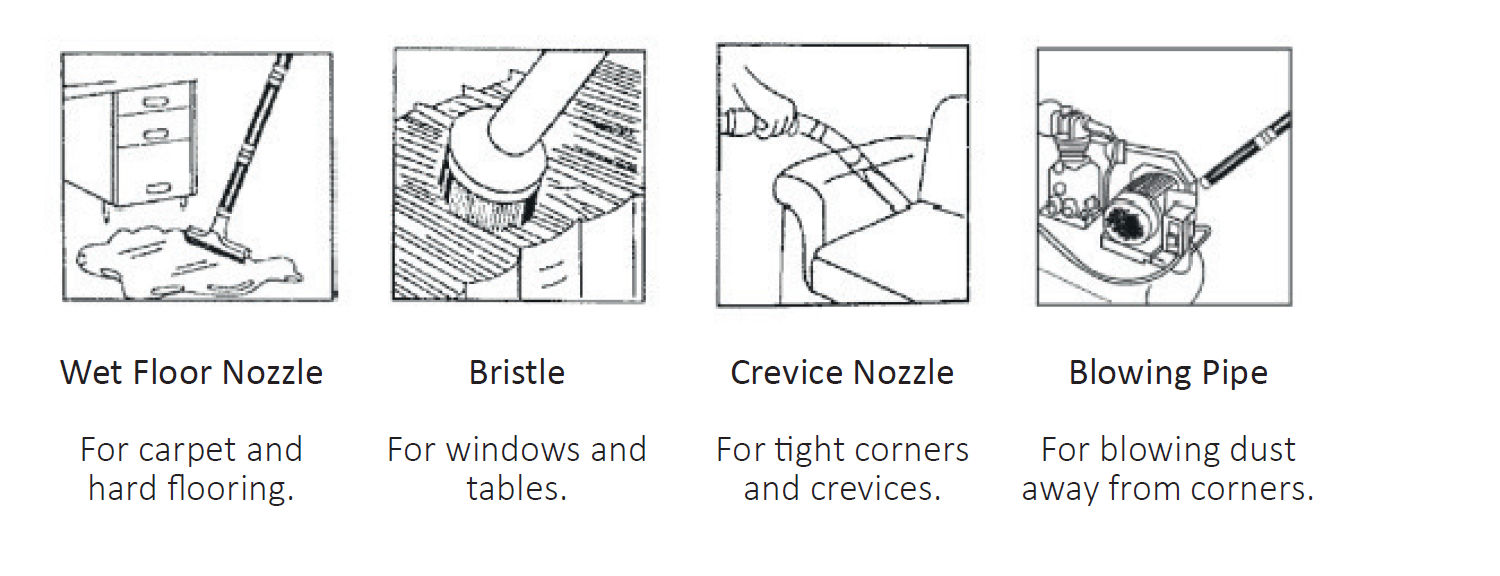
Attach desired vacuum nozzle.
Switch on at mains, and press ‘On’ button to power up.
If you have noticed the suction has decreased, the drum is full. To empty:
1. First you need to switch off at the power supply.
2. Unfasten the locking knob and lift off the top cover.
3. Take off the filter bag and clean the dust away from the drum.
4. When empty, replace the clean filter bag and lock the top cover back
into place.
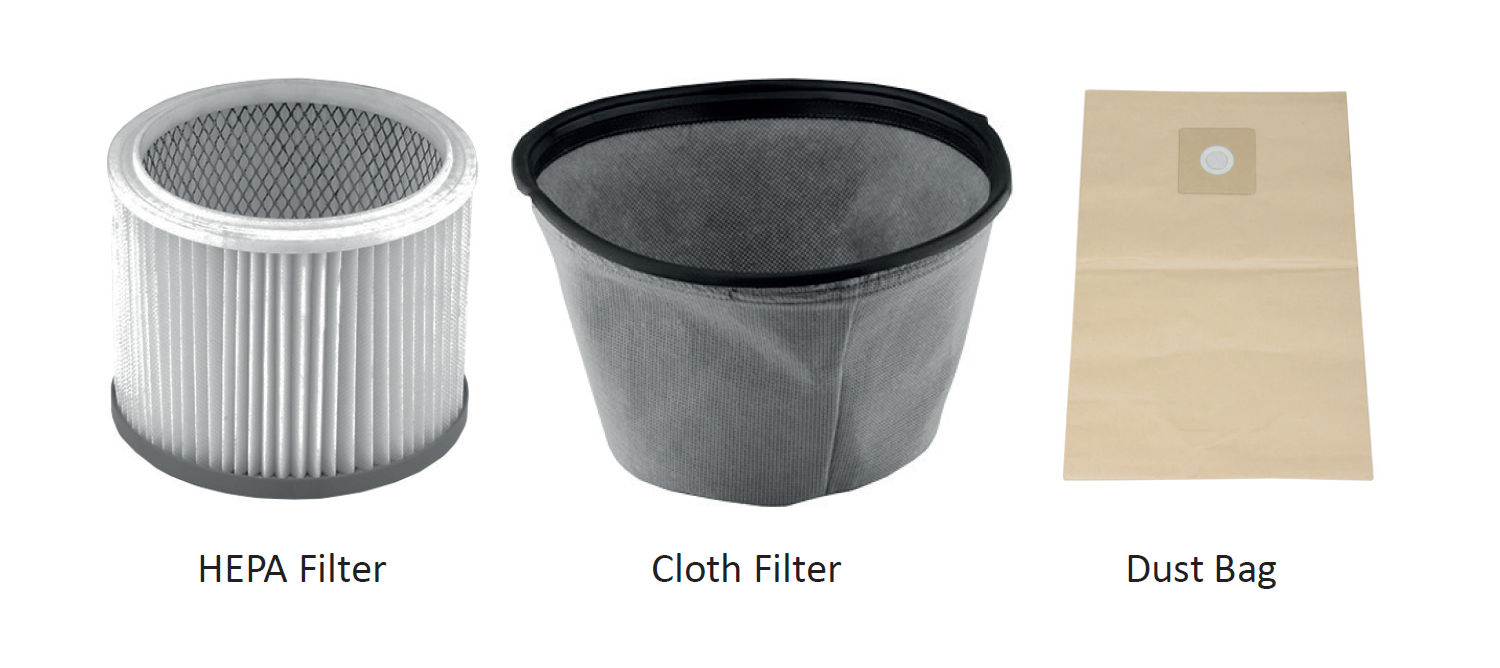
The Cloth Filter and HEPA Filter should be washed with warm water. If
required, you can use a soft cloth to wipe.
Remove the filter before cleaning and allow to dry before re-installing.
Note: The Dust Bag should not be washed, please ensure you are washing
the Dual Filter, not the Dust Bag.
**Q**: There are parts missing from my order. **A**: If there appears to be any part missing from your package contact our Customer Support team within 7 days of receipt. Details are on the Contact Us page.
**Q**: My industrial vacuum will not start. **A**: Check the plug is attached to a power supply and the drum is empty. Check the fuse in the plug. When checking the fuse, ensure the vacuum is switched off at the mains. If it still will not start, simply call or email our Support Team. They will guide you through issues or arrange a date and time for us to collect the product and fix it with our 12 month guarantee.
**Q**: My hose attachment isn’t working properly. **A**: This is most likely a broken belt. To replace, unscrew the cover plate behind your vacuum’s brush and see the condition of the belt. If it looks damaged, just place one end into the drive shaft and the other on the brush’s grooves. Place back the brush and turn it a few times to check if you have replaced it properly.